
Gantt charts
Best for “what happens when” — a project schedule laid out on a time axis, with tasks, durations, and dependencies between them.
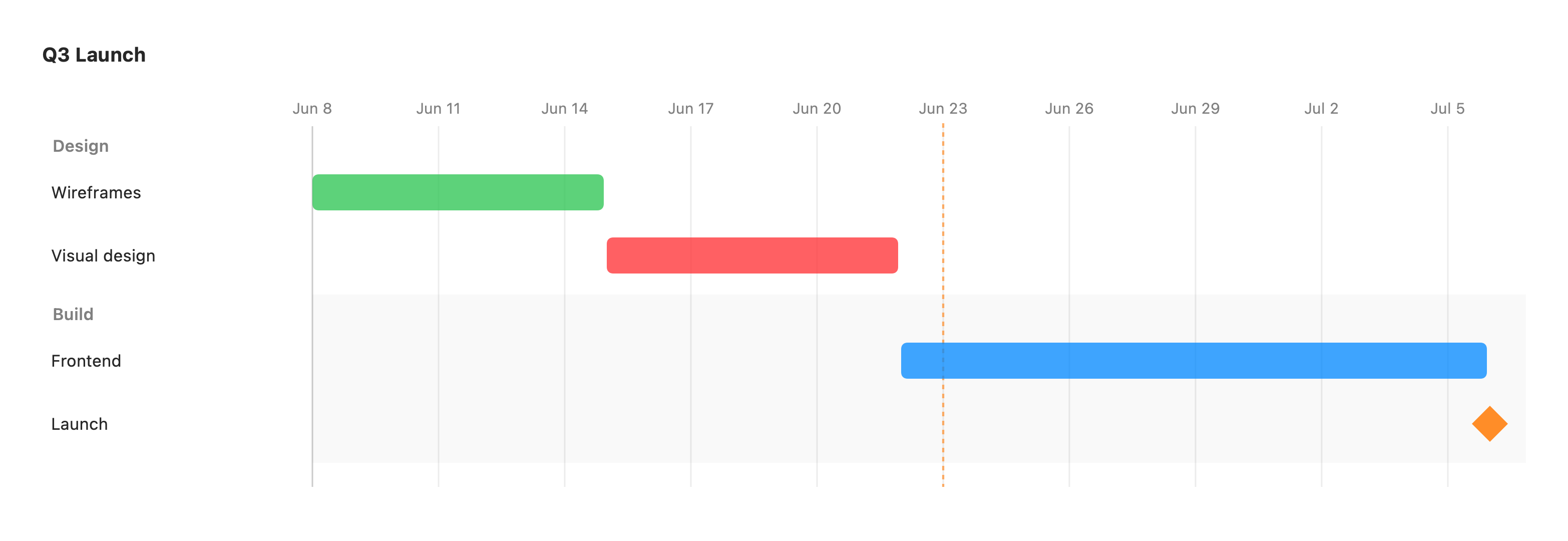
gantt title Q3 Launch dateFormat YYYY-MM-DD section Design Wireframes :active, wires, 2026-06-08, 1w Visual design :crit, visual, after wires, 1w section Build Frontend :fe, after visual, 2w Launch :milestone, launch, after fe, 0dThe first keyword is gantt. dateFormat sets how dates are parsed (default YYYY-MM-DD),
and section <Name> groups the rows beneath it into a band.
Each task is a row: Label : [status,] [id,] <start>, <end|duration>.
- status (optional) —
done,active,crit(critical), ormilestone. - id (optional) — a handle other tasks can depend on; auto-generated if omitted.
- start — a date (in
dateFormat) orafter <id>to follow another task. - end — a date, or a duration:
Nd(days) orNw(weeks).0dmakes a milestone point.
A vertical marker shows today when it falls inside the timeline. Unrecognized fields are ignored, so a chart never fails to render.
Excluded days and axis control
Section titled “Excluded days and axis control”gantt title Sprint (Mon–Fri only) dateFormat YYYY-MM-DD excludes weekends tickInterval 1week weekday monday section Work Design :done, d1, 2026-06-15, 3d Build :b1, after d1, 5dexcludes weekends— grey-shades Saturday and Sunday columns. You can also exclude named weekdays (excludes monday,tuesday) or specific dates (excludes 2026-06-15). Excluded days are a visual overlay; task durations are still counted as calendar days.tickInterval 1week/1day/1month— overrides the automatically-spaced axis ticks.weekday monday— anchors weekly tick marks to a chosen weekday.axisFormat %Y-%m-%d— sets the tick-label date format (d3/strftime%-codes).todayMarker off— hides the “today” marker.