
Diagram annotations in vizzy
Annotations are numbered pins you drop anywhere on a diagram to leave a comment — the
same idea as marking up a screenshot in a design review. They’re for talking about a
diagram, separate from the desc/note/hint directives that are
part of the diagram’s own source.
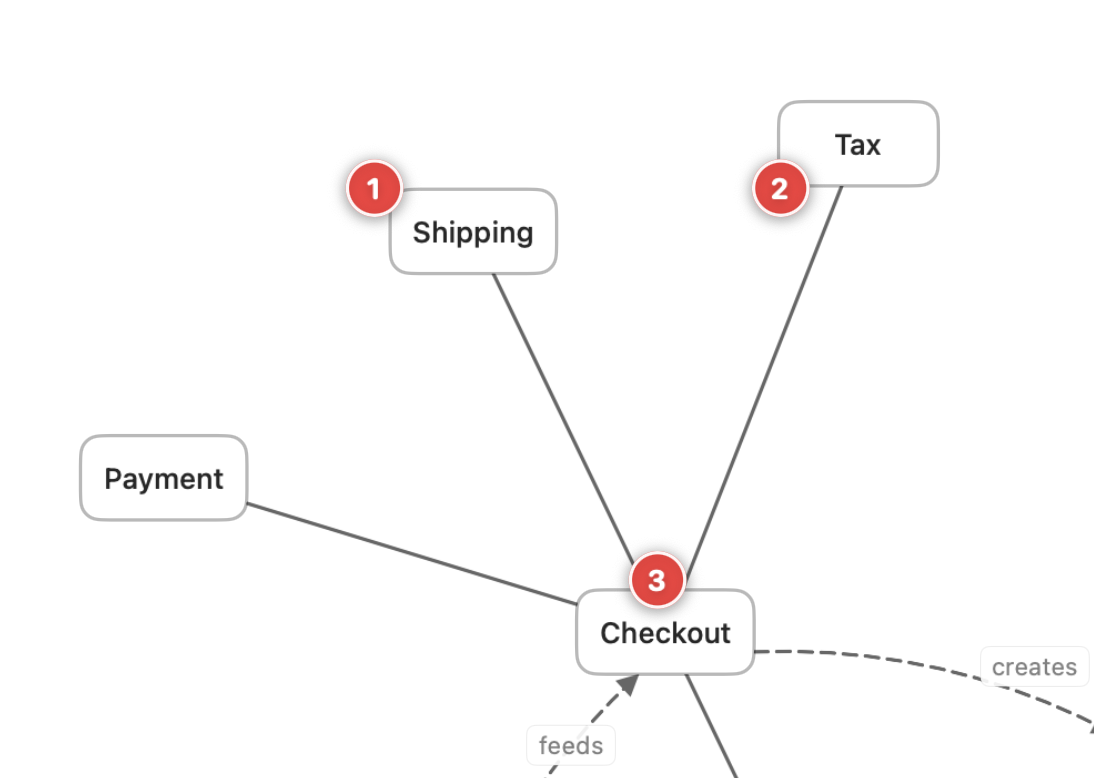
Adding a pin
Section titled “Adding a pin”Click the comment button (the +-bubble icon) in the document toolbar to enter pin
mode, then click anywhere on the canvas to drop a numbered pin. A small popover opens for you
to type the comment.
Pins are anchored in the diagram’s own coordinate space, so they stay attached to the spot you placed them even as the diagram is edited and re-laid-out.
Where pins are stored
Section titled “Where pins are stored”Annotation pins are saved to a sidecar file next to the .vizzy.md, so they persist across
restarts without changing the diagram source itself. Because they live beside the file rather
than inside it, the rendered diagram and the CLI render output stay clean —
pins are a reviewing layer, not part of the published image.